SiteList review score
Excellent design execution and clear professional positioning. Accessibility gaps block important flows for some users and need focused remediation.
Reviewed on Sep 23, 2026
renamer.ai
Unclaimed listingIs this your site?
Claim itWhat it does
Renamer.ai is an AI-powered file renaming tool that analyzes documents, images, and other files and generates descriptive names based on their content. It supports web uploads and a desktop app, with bulk renaming, Magic Folders, and renaming templates.
SiteList review score
Excellent design execution and clear professional positioning. Accessibility gaps block important flows for some users and need focused remediation.
Reviewed on Sep 23, 2026
Verified user rating
—
No verified reviews yet — the evidence locker is empty.
Captured during our latest review on Sep 23, 2026
Four plans are listed: Starter free with 25 files per month; Pro $9.95/month with 200 files per month; Power User $29.95/month with 1,000 files per month; Ultimate $99.95/month with 5,000 files per month. Billed monthly. free plan · Starter Plan is free with 25 files per month.
| Plan | Price | Details |
|---|---|---|
| Starter Plan | $0 monthly per files per month | Free plan for testing 25 files per month View source |
| Pro Plan | $9.95 monthly per files per month | Plan for individuals 200 files per month View source |
| Power User Plan | $29.95 monthly per files per month | Plan for heavier use 1,000 files per month View source |
| Ultimate Plan | $99.95 monthly per files per month | Plan for heavy users 5,000 files per month View source |
Bulk Rename
File organization
Rename groups of files using a renaming template.
Magic Folders
File organization
Organize files in background mode.
Renaming Templates
File organization
Configure naming patterns for renaming files.
Content-aware renaming
AI file renaming
Analyze file content and generate descriptive filenames.
Invoice file organization
Rename invoices using vendor, invoice number, amount, and date.
Accounting document organization
Organize statements, expense reports, supplier contracts, and filings.
Legal document organization
Name legal files using client, matter number, type, and date.
Law-firm filing automation
Create a consistent filing structure for legal teams.
Renamer.ai is an AI-powered file renaming tool that organizes digital files by analyzing their content. Its OCR technology reads documents, images, and other files to generate descriptive, searchable names.
Renamer.ai lists four plans: Starter is free with 25 files per month; Pro is $9.95/month with 200 files per month; Power User is $29.95/month with 1,000 files per month; Ultimate is $99.95/month with 5,000 files per month.
Renamer.ai supports more than 30 file formats, including documents, spreadsheets, images, presentations, vector files, and email files.
Product FAQ information · View source
Renamer.ai scores 81/100, with excellent design execution and clear positioning for professionals managing large document volumes. Its most material weakness is accessibility, while performance and content quality also have fixable issues.
81/100: strong product, with accessibility gaps to fix
No reviews yet. The evidence locker is empty.
Reviews from verified users appear here once approved.
Reviews are from the SiteList community. Some reviewers received incentives — disclosed in the review, always. The verdict is never for sale.
Home
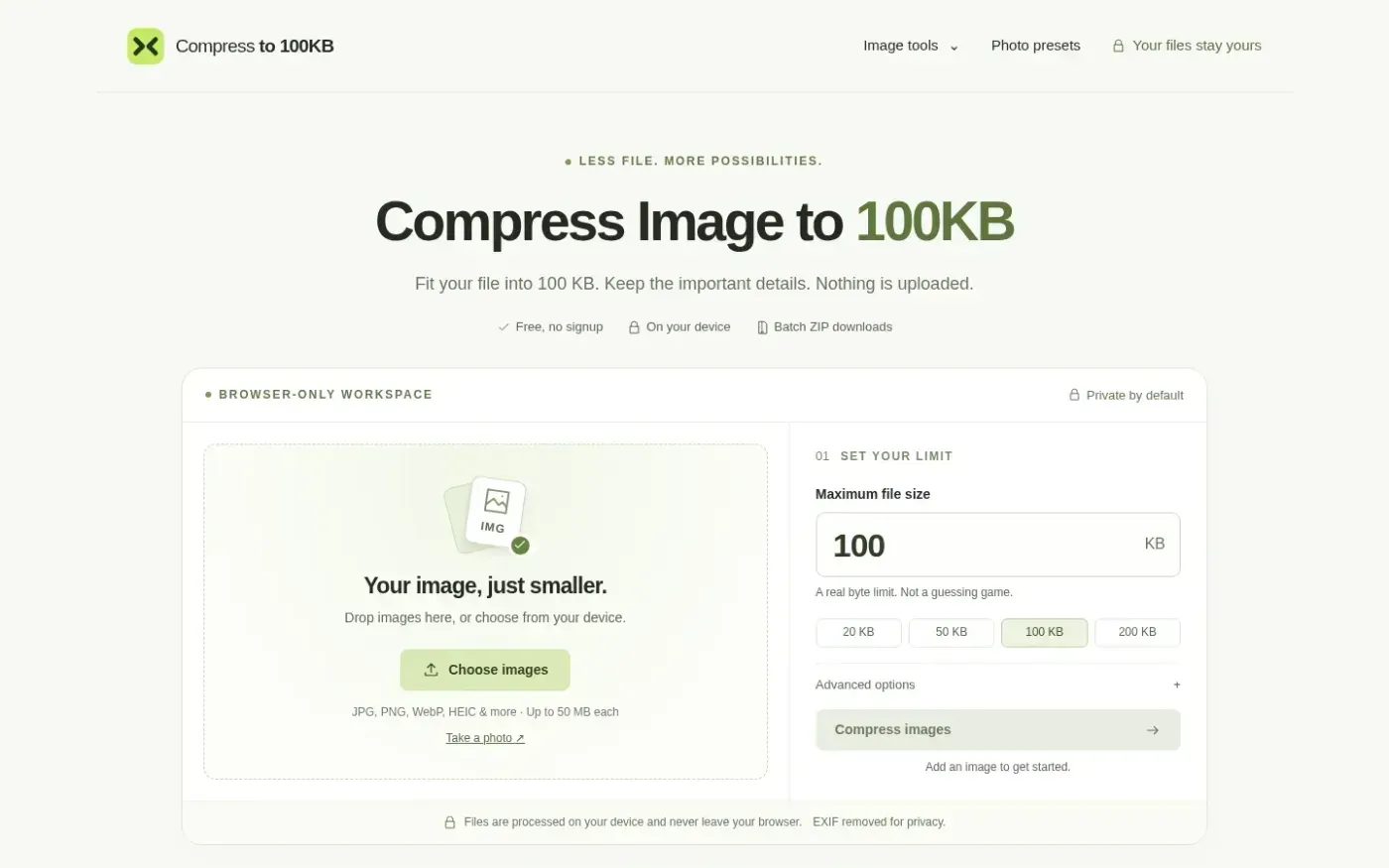
Compressto100kb screenshot 1 of 4: Home
compressto100kb.com
Compressto100kb is a browser-based image compression tool that reduces files to specific kilobyte limits (e.g., 100KB, 50KB). It processes images locally on the user's device without server uploads, supporting JPG, PNG, WebP, and HEIC formats. The tool includes features for batch processing, EXIF metadata removal, and custom pixel dimension adjustments. It provides presets for specific requirements such as IBPS exams and US visa applications.
Home
Spotmp3 screenshot 1 of 4: Home
spotmp3.net
Spotmp3 is a web-based Spotify downloader that enables users to convert Spotify tracks, playlists, albums, and podcasts into 320 kbps MP3 files. The service automatically embeds ID3 tags, cover art, and .lrc lyrics into the downloads. It operates as a free service with a daily limit of 300 tracks, while a one-time 'Supporter' payment unlocks unlimited batch downloads and ZIP exports without requiring an account or software installation.
Home
Memoria — Search photos by text, speech, object & faces. 100% offline. screenshot 1 of 4: Home
anasouh.fr
Memoria is an on-device photo and video search tool that indexes media locally to enable searching by text, speech, faces, and objects. It uses native OCR for images and video frames, and Whisper for transcribing audio in over 99 languages. The app operates 100% offline with no accounts, cloud uploads, or subscriptions, ensuring privacy by design.
Home
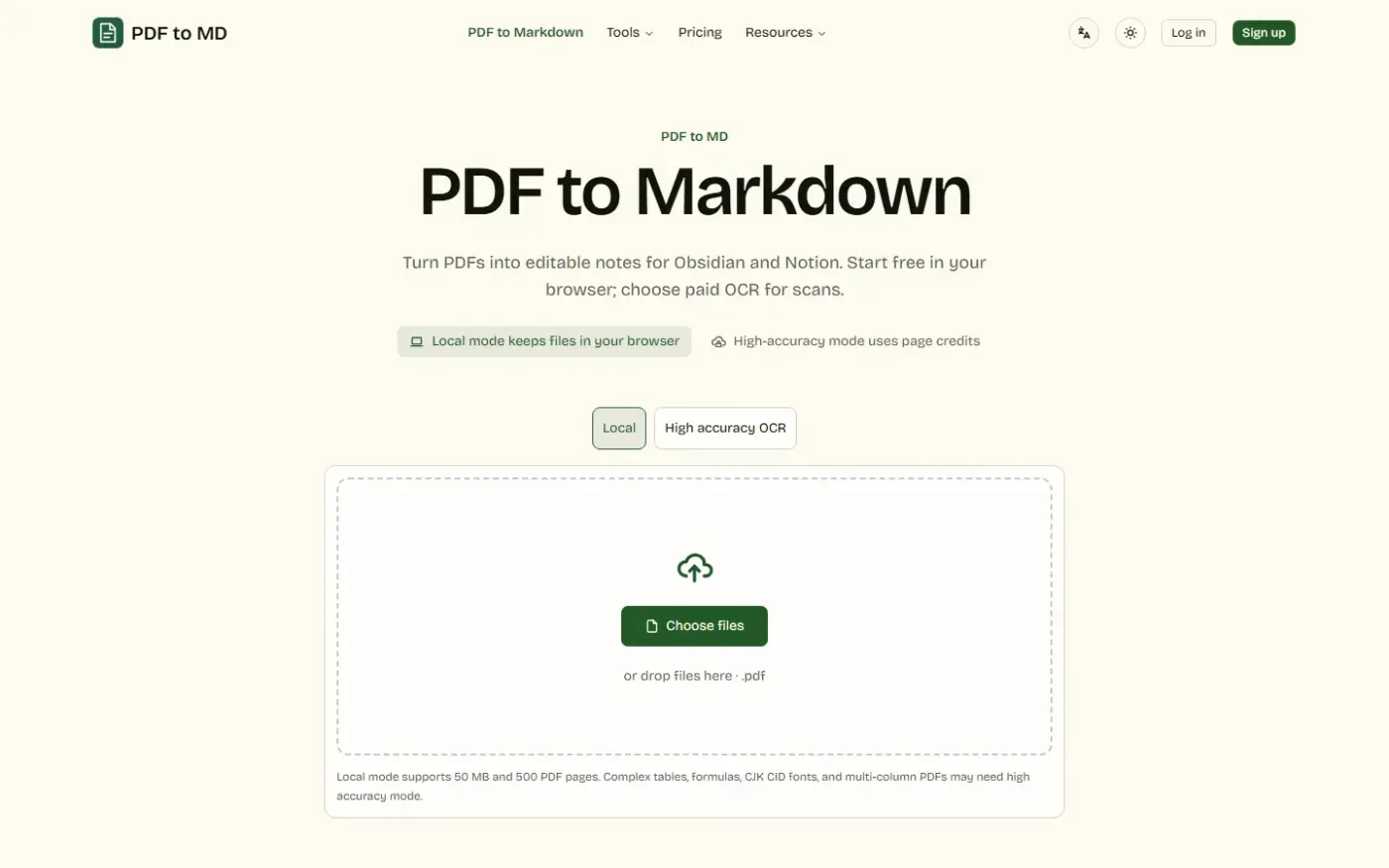
Pdf To Md screenshot 1 of 4: Home
pdf-to-md.app
PDF to MD is a web-based document conversion tool that converts PDFs, Word, HTML, and images into editable Markdown notes, offering local browser processing, high-accuracy cloud OCR, batch conversion, and REST API and MCP access.