SiteList review score
Strong accessibility, design, and sourced content. Slow mobile performance and unclear plan guidance make choosing harder.
Reviewed on Sep 24, 2026
messy2sheet.com
Unclaimed listingWhat it does
Messy2Sheet converts PDFs, scans, emails, screenshots, CSV files, spreadsheets, pasted text, and other business documents into reviewable Excel or CSV spreadsheets using OCR and AI. Users can review uncertain values before export and save cleanup rules as reusable workflows.
SiteList review score
Strong accessibility, design, and sourced content. Slow mobile performance and unclear plan guidance make choosing harder.
Reviewed on Sep 24, 2026
Verified user rating
—
No verified reviews yet — the evidence locker is empty.
Captured during our latest review on Sep 24, 2026
Monthly plans: Starter $19.9/month, Pro $29.9/month, and Ultra $59.9/month. A Free plan includes 10 lifetime verified pages. Billed monthly. free plan · Free plan with 10 lifetime verified pages.
| Plan | Price | Details |
|---|---|---|
| Free | $0 one time | Try Messy2Sheet with a small file package 10 lifetime verified pages · Up to 10 billable pages or source units per run · No follow-up chat · No workflows View source |
| Starter | $19.9 monthly | For occasional cleanup jobs 100 verified pages per month · Up to 50 billable pages or source units per run · Follow-up chat creates new versions · Save and run workflows View source |
| Pro | $29.9 monthly | For regular spreadsheet cleanup work 400 verified pages per month · Up to 50 billable pages or source units per run · Follow-up chat creates new versions · Save and run workflows View source |
| Ultra | $59.9 monthly | For heavier monthly workloads 1,200 verified pages per month · Up to 50 billable pages or source units per run · Follow-up chat creates new versions · Save and run workflows View source |
OCR text extraction
Document conversion
Reads visible text from images or PDFs.
AI row and column creation
Document conversion
Uses document text and context to build spreadsheet rows, columns, tabs, and saved formats.
Review before export
Review and export
Lets users review uncertain values and check the workbook against the original source before export.
Template filling
Workflows
Fills a fixed CSV or XLSX shape with new messy sources.
Reusable workflows
Workflows
Saves and reruns cleanup rules and formats for repeat files.
Follow-up chat
Workflows
Creates new versions from follow-up instructions on paid plans.
Purchase order conversion
Review a purchase order beside the workbook created from it.
Bank statement conversion
Convert statement transactions into a source-mapped spreadsheet for review.
Invoice automation
Review invoice fields and line items in a spreadsheet workflow.
Sales order automation
Convert sales order documents into spreadsheet outputs.
Expense report conversion
Convert expense report files to Excel.
Merge Excel files
Merge Excel files into a spreadsheet workflow.
PDFs, scans, screenshots, images, emails, spreadsheets, CSV files, and pasted text. If you can read it and copy it into a sheet by hand, it is usually a good fit.
Plain English is fine. Say the columns you want, cleanup rules, separate tabs, formulas, source tracking, or notes for review.
No. OCR reads text from an image or PDF. Messy2Sheet uses that text to build spreadsheet rows, columns, tabs, and saved formats.
Yes. When a result looks right, save it as a workflow. The next similar file can start from the saved shape and instructions.
Product FAQ information · View source
Messy2Sheet earns 75/100 with strong accessibility, design, usability, and unusually well-sourced editorial content. Its largest weaknesses are slow mobile performance, weak pricing guidance, and incomplete comparison transparency.
75/100: clear tool, three fixable weaknesses
No reviews yet. The evidence locker is empty.
Reviews from verified users appear here once approved.
Reviews are from the SiteList community. Some reviewers received incentives — disclosed in the review, always. The verdict is never for sale.
Home
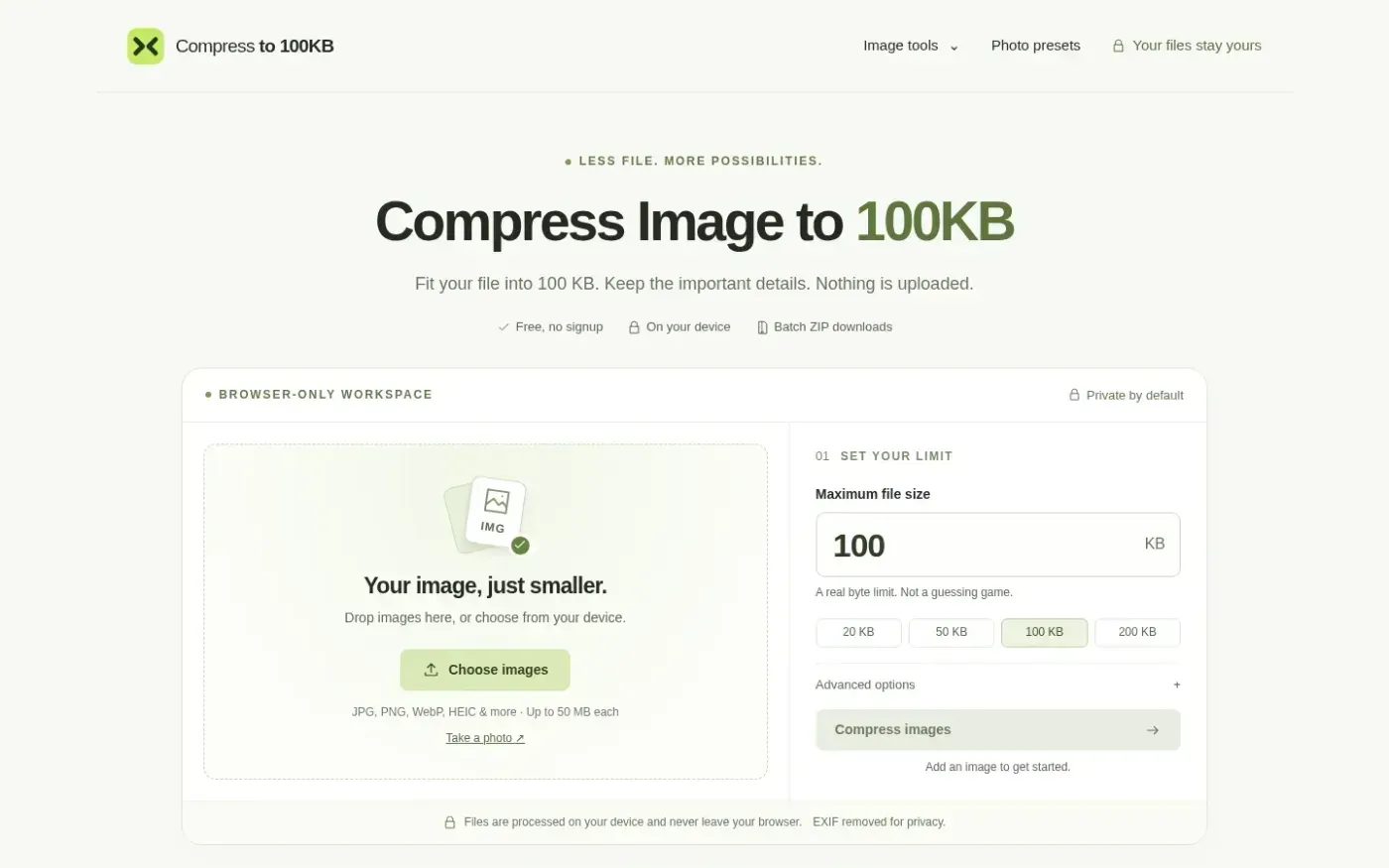
Compressto100kb screenshot 1 of 4: Home
compressto100kb.com
Compressto100kb is a browser-based image compression tool that reduces files to specific kilobyte limits (e.g., 100KB, 50KB). It processes images locally on the user's device without server uploads, supporting JPG, PNG, WebP, and HEIC formats. The tool includes features for batch processing, EXIF metadata removal, and custom pixel dimension adjustments. It provides presets for specific requirements such as IBPS exams and US visa applications.
Home
Spotmp3 screenshot 1 of 4: Home
spotmp3.net
Spotmp3 is a web-based Spotify downloader that enables users to convert Spotify tracks, playlists, albums, and podcasts into 320 kbps MP3 files. The service automatically embeds ID3 tags, cover art, and .lrc lyrics into the downloads. It operates as a free service with a daily limit of 300 tracks, while a one-time 'Supporter' payment unlocks unlimited batch downloads and ZIP exports without requiring an account or software installation.
Home
Memoria — Search photos by text, speech, object & faces. 100% offline. screenshot 1 of 4: Home
anasouh.fr
Memoria is an on-device photo and video search tool that indexes media locally to enable searching by text, speech, faces, and objects. It uses native OCR for images and video frames, and Whisper for transcribing audio in over 99 languages. The app operates 100% offline with no accounts, cloud uploads, or subscriptions, ensuring privacy by design.
Home
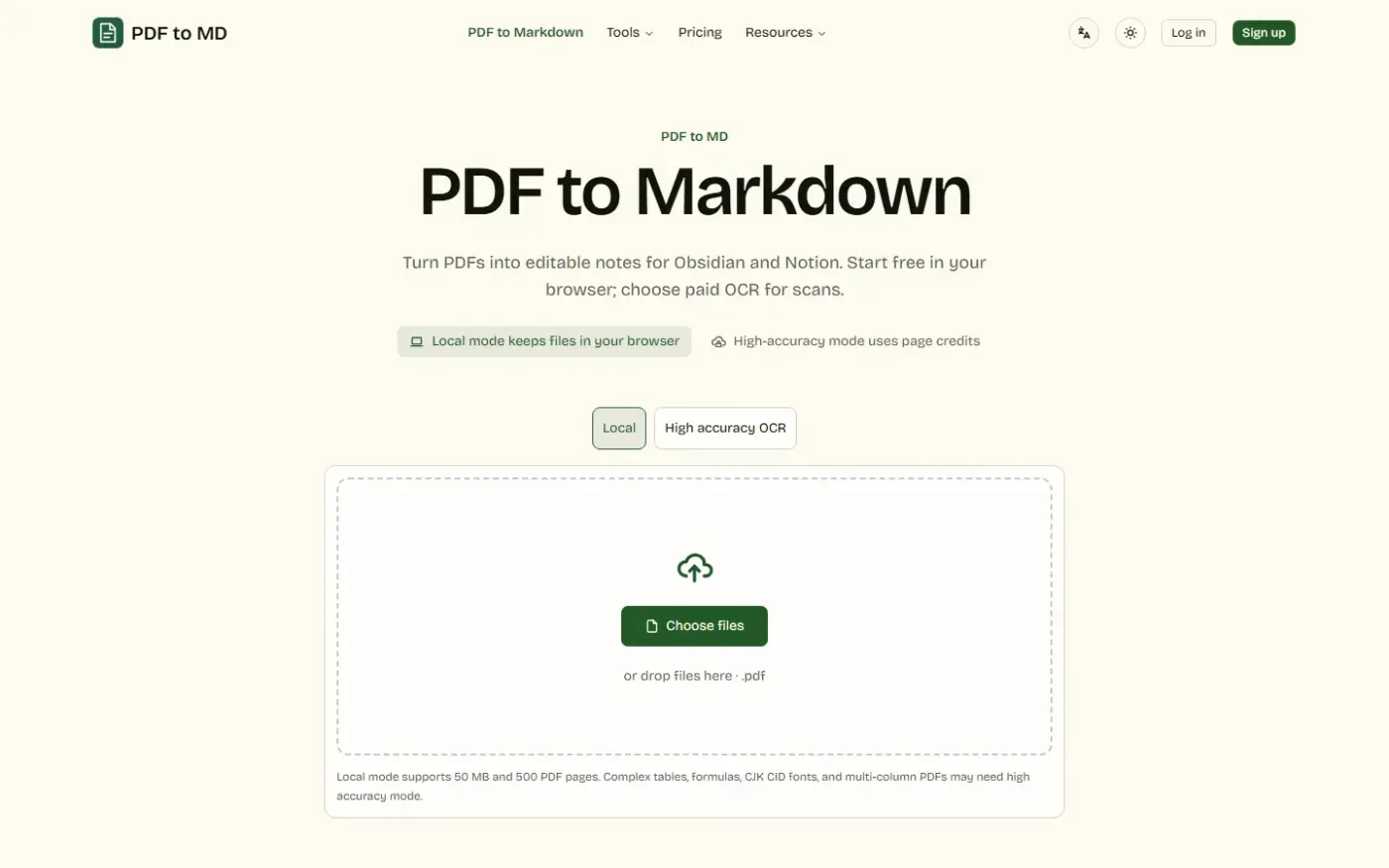
Pdf To Md screenshot 1 of 4: Home
pdf-to-md.app
PDF to MD is a web-based document conversion tool that converts PDFs, Word, HTML, and images into editable Markdown notes, offering local browser processing, high-accuracy cloud OCR, batch conversion, and REST API and MCP access.