Skip to content
SiteList

Makeitaquote vs Quotesmaker: private photo tools or simpler quote exports?

Last updated (21d ago)

Makeitaquote and Quotesmaker are compared using their captured homepages.

Feature comparison

FeatureMakeitaquoteQuotesmaker
Browser-based quote-image creationFoundFound
Creation without an accountFoundFound
On-device image processingFoundNot found
Text-behind-image effectsFoundNot found
Watermark-free exportsNot foundFound
Unlimited downloadsNot foundFound
Platform-specific export sizesNot foundFound

✓ found in our review of the product’s site. — not found there, which doesn’t mean it’s missing.

Pricing, sourced

Makeitaquote

No prices listed on its pricing page.

Pricing page

Quotesmaker

No prices listed on its pricing page.

Checked Pricing page

Choose Quotesmaker for a focused quote-image workflow with no signup, unlimited downloads and no watermark. Choose Makeitaquote when on-device photo processing and text-behind-image effects matter more. Both have mobile usability gaps, and current billing terms remain unverified.

Quotesmaker is the stronger fit for creators who mainly need to turn text into a shareable quote graphic. Its reviewed offer explicitly combines no signup, unlimited downloads and no watermark. Makeitaquote makes more sense when the job also involves photo processing or placing text behind a subject. Its site describes image processing as staying in the browser. The tradeoff is a broader suite with more documented interface friction.

Quotesmaker keeps the quote task prominent; Makeitaquote spreads across 16 tools

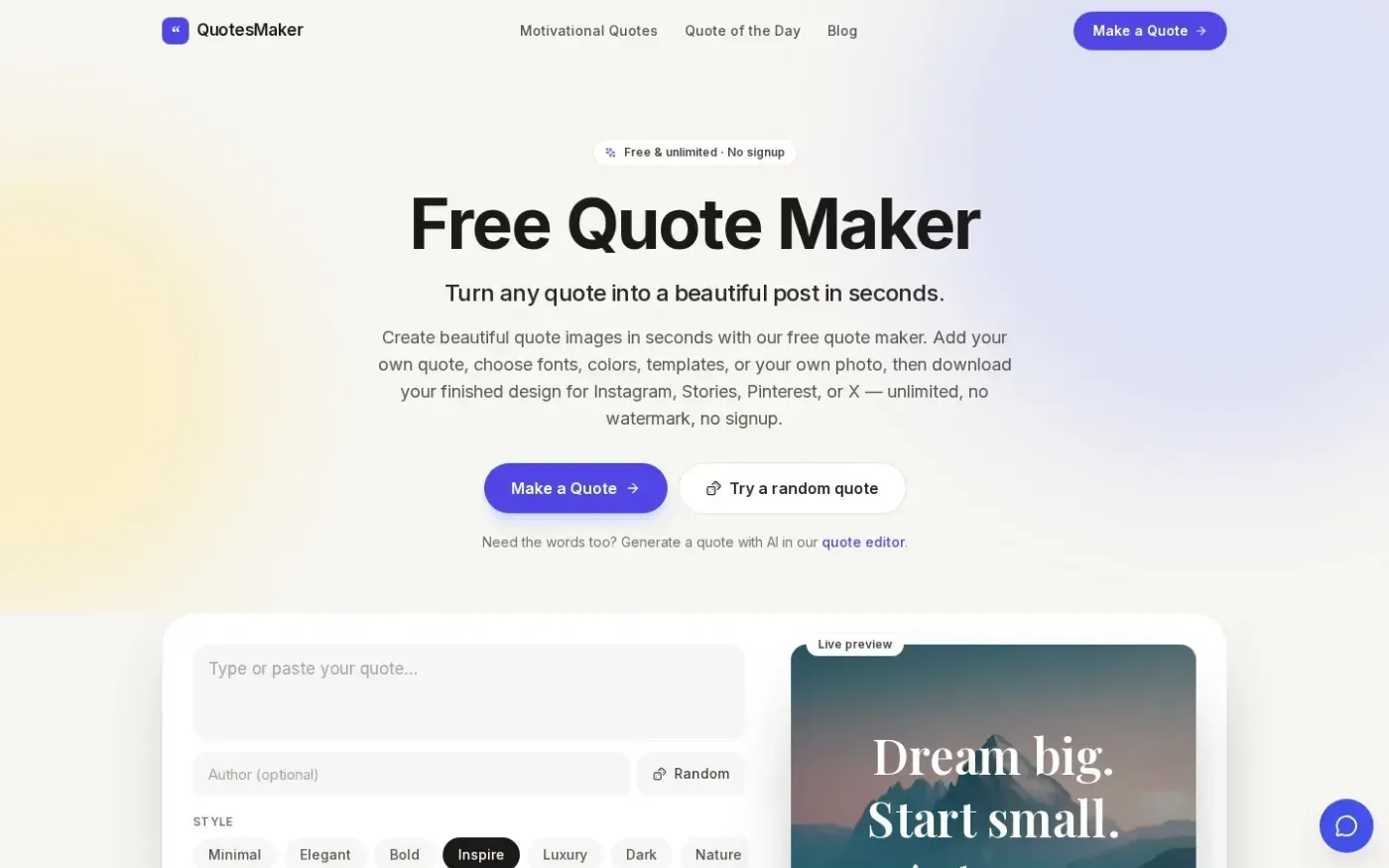
Our Quotesmaker review found a prominent “Make a Quote” path and a homepage that explains export formats and customization. For a social media marketer producing straightforward quote posts, that reduces the work of figuring out where to start. The site also names platform-specific sizes, including Story exports. These are product-site descriptions, not export-quality tests. Quotesmaker homepage

Makeitaquote clearly identifies itself as a quote maker, but our review found that its tools page expands into 16 tools spanning quote images, memes, background removal, bots and AI writing. That breadth suits someone whose quote graphics are one part of a wider content workflow. It also means a buyer with one simple task encounters more choices. Its on-device processing claim is particularly relevant when images should remain on the device, although the review does not establish an equivalent processing model for Quotesmaker. Makeitaquote tools · Text Behind Image

Mobile speed depends on the route, and both interfaces need refinement

Makeitaquote’s text-behind-image route showed a meaningful split: field p75 LCP was 2,256 ms, while mobile lab LCP was approximately 4.84 seconds. Our review also measured a 4,211 KiB request payload. This supports caution about first-load conditions without claiming that every visitor experiences the slower lab result. Makeitaquote text-behind-image page

Quotesmaker’s homepage reached mobile lab LCP in 1.45 seconds, but its Stoic quotes page took approximately 4.39 seconds. The homepage also carried a 5,690 KiB payload. A buyer entering through a quote collection should therefore avoid assuming the homepage’s visual speed applies everywhere. These measurements do not establish a directly comparable overall speed winner. Quotesmaker homepage · Stoic quotes

Both products have documented accessibility weaknesses. Makeitaquote’s sampled text-behind-image page had five of eight controls without a detected label or accessible name, plus undersized controls and contrast failures. Quotesmaker had 59 undersized tap targets on its sampled homepage and contrast failures on representative pages. Frequent mobile users should weigh those concrete interaction constraints alongside the export features. Makeitaquote text-behind-image page · Quotesmaker homepage

Painterly homepage-style scene representing the shared function of Quotesmaker and Makeitaquote.

Makeitaquote has a support destination; neither makes help prominent

Makeitaquote has a support page with an FAQ and email contact, but our review found no incoming internal links to that page and no Support link in the homepage navigation. It offers a documented troubleshooting destination once you find it. Makeitaquote support

Quotesmaker’s contact route appeared in the footer, and our review found no dedicated help subtree or specific failure-resolution answer. Choose it for the focused creation path, but do not assume that troubleshooting guidance is equally developed. Quotesmaker homepage

Quotesmaker states free entry; billing details remain unresolved

Quotesmaker’s pricing URL returned a 404 page when checked on Nov 6, 2026. The page still stated “Free, no signup,” but displayed no numerical amount or tier schedule. That supports its stated free entry, not a verified comparison of paid plans or billing limits. Quotesmaker pricing URL

Makeitaquote’s pricing URL has no recorded page content or verification date. Current amounts, billing intervals, per-user charges and plan limits cannot be confirmed from that page. Neither pricing record establishes a usable basis for comparing subscription totals or lifetime-plan value. Makeitaquote pricing URL

SiteList favors Quotesmaker for routine exports and Makeitaquote for local photo effects

SiteList’s AI review scores are 77.5/100 for Quotesmaker and 67.8/100 for Makeitaquote. The practical recommendation follows the reviewed workflows: Quotesmaker makes a stronger case for routine quote exports through its prominent creation path and explicit export promises. Makeitaquote adds a specific reason to choose it when local photo processing and text-behind-image effects are central, with a broader interface and documented control-label problems as constraints.

Neither product has verified user reviews yet, so these scores do not represent customer consensus.

Questions buyers actually ask

Which is better for routine social media quote graphics?

Quotesmaker is the stronger fit when the priority is a focused quote-image workflow. Its reviewed site explicitly offers no signup, unlimited downloads, no watermark and platform-specific sizes. Its mobile controls and contrast still need refinement.

When should I choose Makeitaquote?

Choose Makeitaquote when text-behind-image effects and on-device photo processing are central to your work. Its broader creator-tool suite covers adjacent tasks, but the review found control-label problems, small mobile controls and a support page missing from homepage navigation.

Can I compare their current subscription costs?

Current subscription totals remain unverified. Makeitaquote’s pricing URL has no recorded content or verification date. Quotesmaker’s pricing URL returned a 404 on Nov 6, 2026; it stated free access but showed no numerical prices or paid tiers.

Which works better on mobile?

There is no established overall winner. Quotesmaker’s homepage was visually fast in the lab, but its Stoic quotes page was slower. Makeitaquote’s text-behind-image page had healthier field results than its lab result. Both reviews found small tap targets and contrast problems.

Read Makeitaquote reviewRead Quotesmaker review

Built from SiteList technical reviews; user reviews count once a product has 3 approved. Pricing facts carry their source and date; if something has drifted, use “Report outdated” above to schedule a re-check.