SiteList review score
A clear photo-to-video workflow and strong accessibility support the studio. Thin self-serve help and contrast issues are the most fixable gaps.
Reviewed on Oct 27, 2026
froging.ai
Unclaimed listingWhat it does
Froging AI brings AI image generation, image editing, text to video, and image to video together in one studio.
SiteList review score
A clear photo-to-video workflow and strong accessibility support the studio. Thin self-serve help and contrast issues are the most fixable gaps.
Reviewed on Oct 27, 2026
Verified user rating
—
No verified reviews yet — the evidence locker is empty.
Captured during our latest review on Oct 27, 2026
Yes. Upload a portrait, product shot, landscape, or artwork, and describe the motion or camera behavior you want. The uploaded image becomes the visual starting point for the generated clip. Froging AI accepts JPG, PNG, and WebP images up to 10 MB.
Upload a photo or image with the upload button in the generator, describe how it should move, and click Generate. In the studio you can choose a video model, duration, and aspect ratio before generating.
Sharp, well-lit photos with one clear subject work best, including portraits, selfies, pets, product shots, landscapes, and artwork. Images need to be at least 300 pixels on the short side.
Some models generate native audio with the video, some offer audio as an option, and some produce silent clips. The generator shows the audio setting for the selected model before you create.
Yes, with models that support it. Many video models offer 9:16 vertical output alongside 16:9 landscape and, for some models, 1:1 square. Duration and resolution depend on the selected model.
Image to video works with models from the Kling, Veo, Seedance, MiniMax, and Wan families. Each model differs in motion style, supported resolution, duration, and audio.
Content generated on an eligible paid plan can be used for commercial projects under Froging AI's current terms, including ads, marketing, social content, and client work. Review the plan details and Terms of Service before using a specific model output commercially.
Product FAQ information · View source
Froging earns 76/100 as a web-based AI image and video studio with a clear photo-to-video path, strong accessibility, and broad crawlability. Its most material weaknesses are the thin formal help layer and design-execution issues, including contrast failures.
76/100: strong studio with fixable documentation and design gaps
No reviews yet. The evidence locker is empty.
Reviews from verified users appear here once approved.
Reviews are from the SiteList community. Some reviewers received incentives — disclosed in the review, always. The verdict is never for sale.
Home
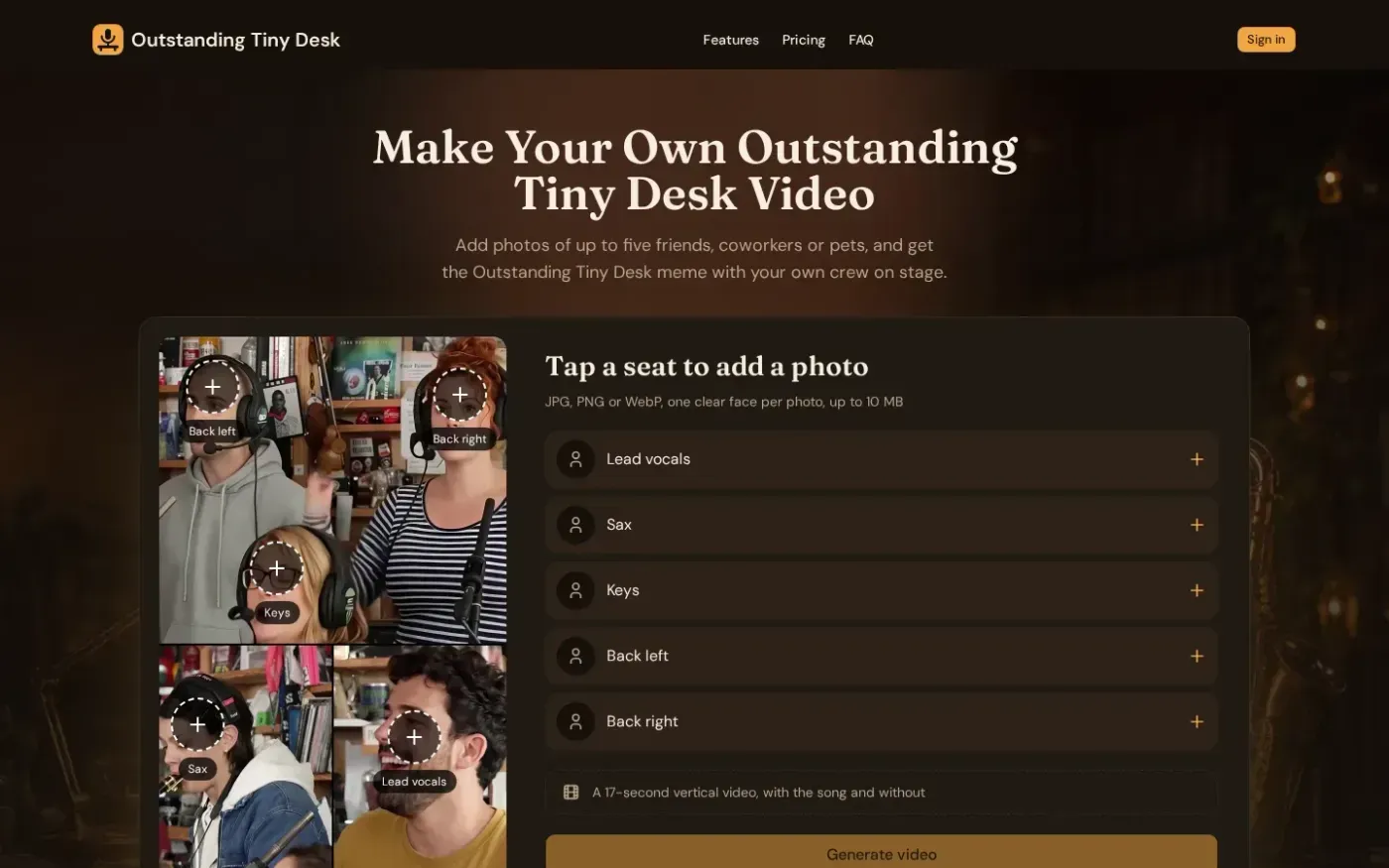
Outstanding Tiny Desk screenshot 1 of 3: Home
outstanding-tiny-desk.app
Outstanding Tiny Desk lets users add photos of up to five friends, coworkers or pets and get a 9:16 clip with the song and a silent copy.
Home
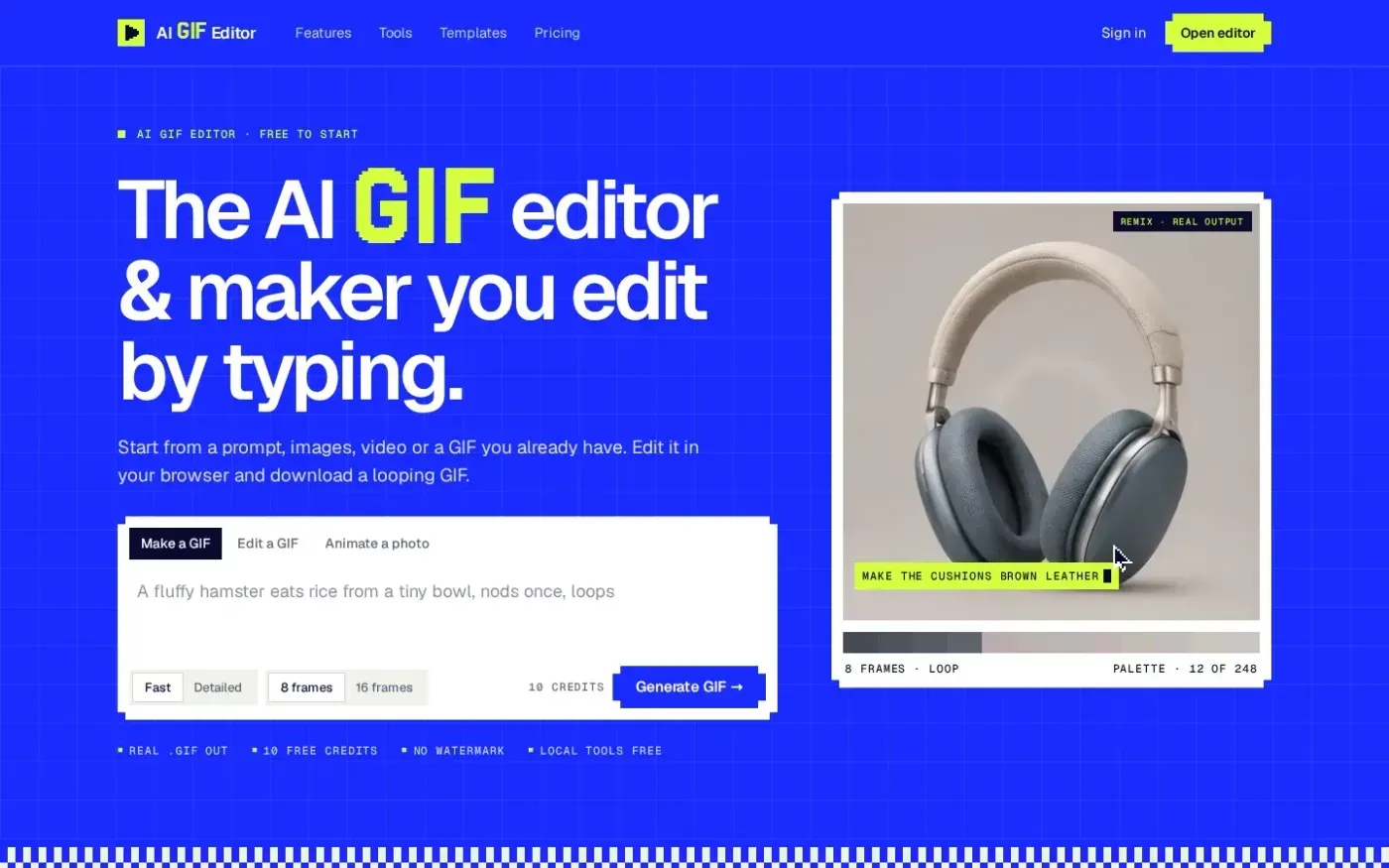
Aigifeditor screenshot 1 of 3: Home
aigifeditor.com
AI GIF Editor is an online tool for converting text prompts, photo sequences, or short videos into animated GIFs, alongside browser-based local tools for editing, cropping, resizing, and compressing GIF files.
Home
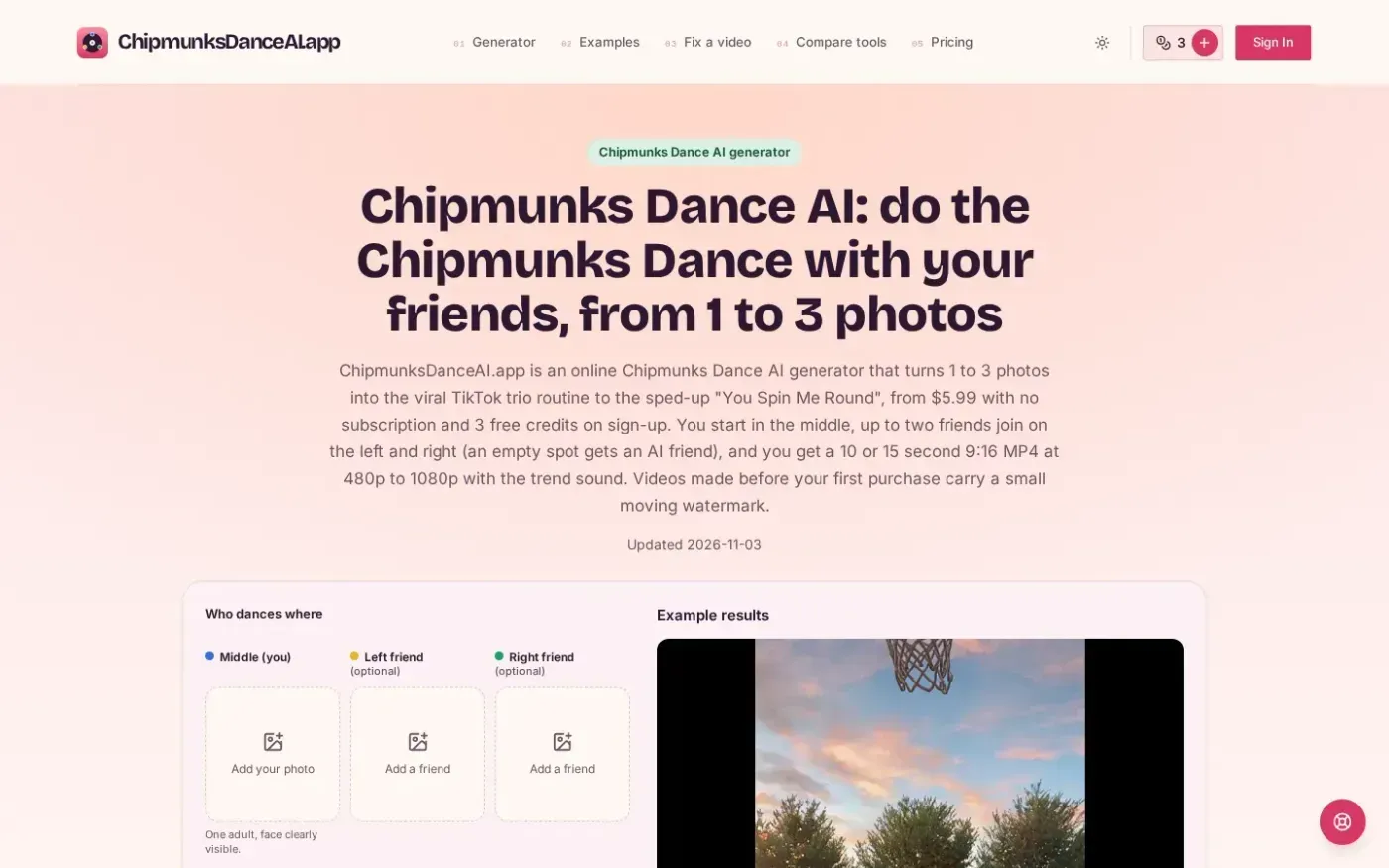
Chipmunksdanceai screenshot 1 of 3: Home
chipmunksdanceai.app
Home
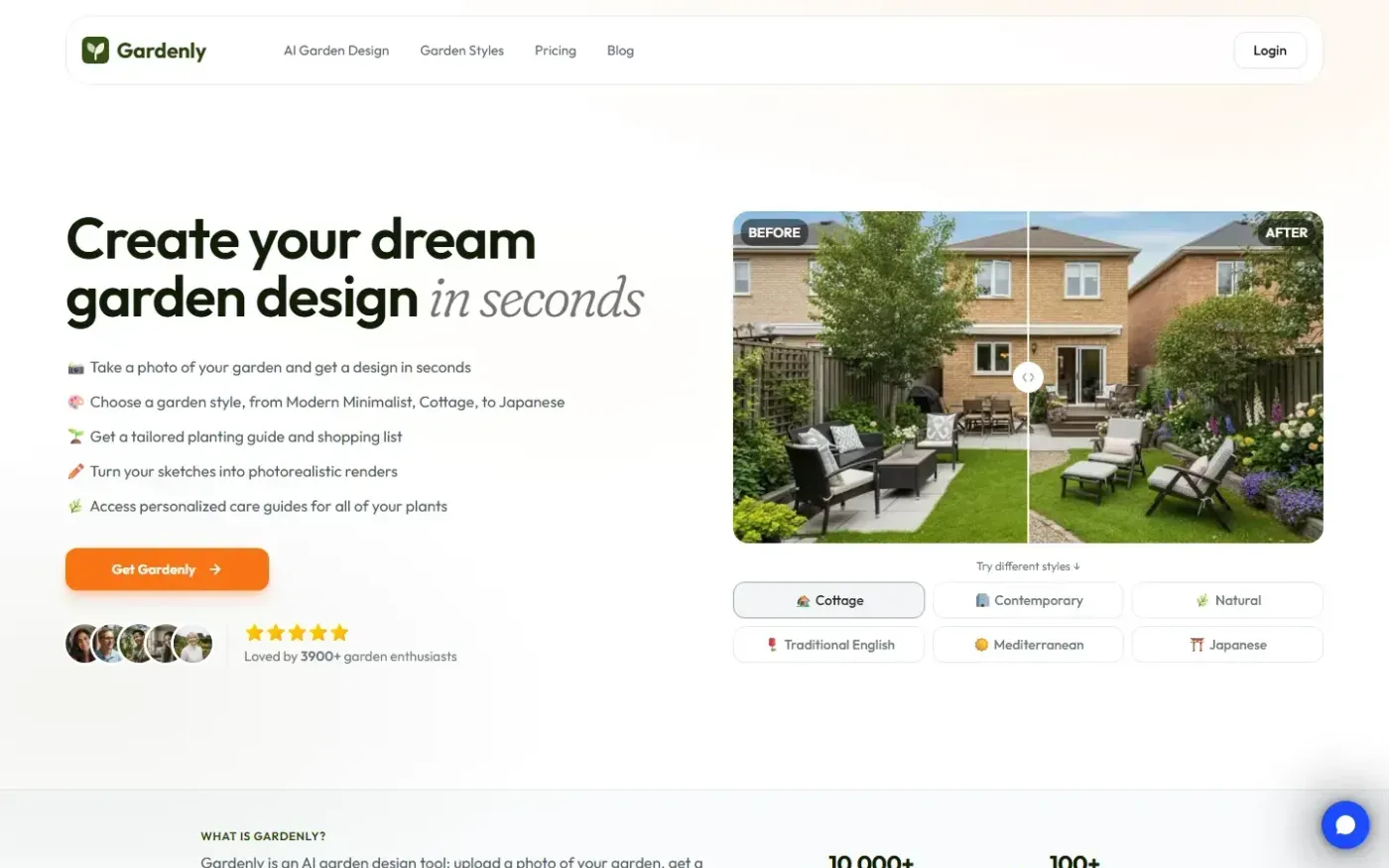
Gardenly screenshot 1 of 4: Home
gardenly.app
Gardenly is an AI-powered garden design tool that generates photorealistic garden redesigns from a single photo, featuring climate-adapted plant recommendations, personalized plant care guides, and seasonal maintenance schedules.