SiteList review score
The upload-led tools are easy to understand. Add public self-serve help and reduce mobile loading time.
Reviewed on Oct 24, 2026
fotor.com
Unclaimed listingWhat it does
Fotor is an online photo-editing and design platform with AI and image tools for resizing, cropping, background changes, object removal, retouching, enhancement, and other visual creation workflows.
SiteList review score
The upload-led tools are easy to understand. Add public self-serve help and reduce mobile loading time.
Reviewed on Oct 24, 2026
Verified user rating
—
No verified reviews yet — the evidence locker is empty.
Captured during our latest review on Oct 24, 2026
It’s simple! Just upload your JPEG to our online cropper. To ensure professional clarity, Fotor handles high-resolution JPEGs up to 60MB. Choose your dimensions, apply the crop, and download. Pro tip: If you need to maintain transparency, consider exporting as a PNG instead of JPEG.
If you're handling a large volume of work, our Batch Crop tool is your best friend. You can upload up to 50 photos simultaneously and apply identical aspect ratios with a single click. It’s designed to save you hours of manual clicking while preserving consistent framing across your entire set.
Absolutely. While cropping is about composition, resizing is about scale. After you’ve reframed your shot, you can use our integrated image resizer to adjust the total dimensions for web use or print without losing quality.
Cropping pictures into shapes online is easy. Open fotor.com, upload the image, select a shape from the toolbar, and apply it.
The photo shape changer supports JPG, JPEG, PNG, HEIF, HEIC, and WEBP.
Product FAQ information · View source
Fotor scores 66/100 in this 13-dimension review, with strong crawlability and clear, upload-led tools across its broad visual-editing catalog. The material weaknesses are a 20.5/100 docs and self-serve-help result and slow mobile evidence, including 5.3-second field p75 LCP.
66/100: broad toolset, notable speed and help gaps
No reviews yet. The evidence locker is empty.
Reviews from verified users appear here once approved.
Reviews are from the SiteList community. Some reviewers received incentives — disclosed in the review, always. The verdict is never for sale.
Home
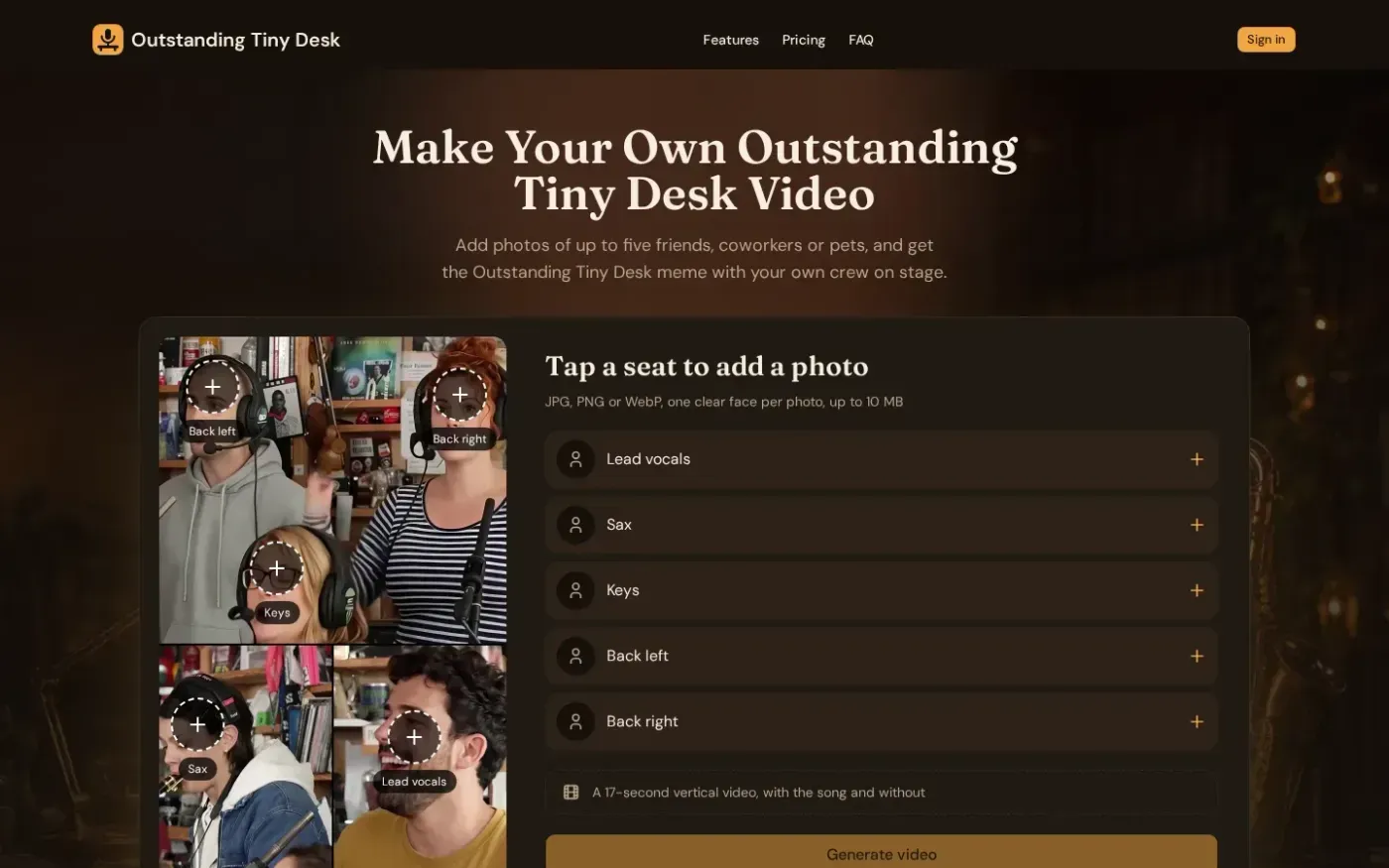
Outstanding Tiny Desk screenshot 1 of 3: Home
outstanding-tiny-desk.app
Outstanding Tiny Desk lets users add photos of up to five friends, coworkers or pets and get a 9:16 clip with the song and a silent copy.
Home
Aigifeditor screenshot 1 of 3: Home
aigifeditor.com
AI GIF Editor is an online tool for converting text prompts, photo sequences, or short videos into animated GIFs, alongside browser-based local tools for editing, cropping, resizing, and compressing GIF files.
Home
Chipmunksdanceai screenshot 1 of 3: Home
chipmunksdanceai.app
Home
Gardenly screenshot 1 of 4: Home
gardenly.app
Gardenly is an AI-powered garden design tool that generates photorealistic garden redesigns from a single photo, featuring climate-adapted plant recommendations, personalized plant care guides, and seasonal maintenance schedules.