SiteList review score
Broad creative workflows and clear audience messaging. Self-serve help is thin, while slow mobile performance adds avoidable friction.
Reviewed on Nov 20, 2026
everygen-ai.com
Unclaimed listingWhat it does
EveryGen AI is the creative platform at everygen-ai.com, operated by EveryGen LLC (independent of everygen.ai). It includes the EveryGen AI video generator for clips and the EveryGen AI video studio for projects guided by an AI Video Agent, plus image editing, audio, music, motion graphics and Short Clone.
SiteList review score
Broad creative workflows and clear audience messaging. Self-serve help is thin, while slow mobile performance adds avoidable friction.
Reviewed on Nov 20, 2026
Verified user rating
—
No verified reviews yet — the evidence locker is empty.
Captured during our latest review on Nov 20, 2026
Yes. EveryGen AI offers a $0 Free Plan with 10 one-time credits to try AI video and image generation at 720p, plus 11 free browser video and audio tools at /free-tools that run locally without signup or watermark. Paid EveryGen plans start at $19/month (or $8.25/month billed annually) and include monthly or upfront annual credits, Studio access and a commercial license.
The EveryGen AI video studio takes you from a brief and references to a scene plan, visual and audio assets, an assembled video and further edits through conversation. Dedicated EveryGen tools also create individual clips, images and music.
Yes. Create or upload an image in EveryGen, then open an image-to-video workflow such as Seedance, Veo or Wan 3.0. The EveryGen AI video generator uses that image to guide the moving scene.
Yes. The EveryGen AI video studio supports narration, character dialogue and sound effects. The EveryGen AI music generator makes music and songs from a prompt, style or lyrics. Your Video Agent can arrange saved audio in the project.
EveryGen serves creators, marketers, ecommerce teams, agencies and production teams. Use it for video variants, social content, product visuals, explainers and localized clips, with dedicated tools or a guided project.
Connect the EveryGen AI video generator MCP from the MCP page and sign in to your EveryGen account. Supported clients include Claude, ChatGPT, Claude Code and Cursor. Ask your assistant to create images, clips, voiceovers or music, or to plan and produce an EveryGen video project. Review the credit quote and approve generation before paid media is created.
Monthly credits last 30 days without rollover. Annual plans charge once and grant all credits upfront, valid for 365 days. Credit packs are one-time purchases valid for 365 days, with no renewal or subscription-only upgrades.
Studio videos, animated explainers, image and video tools, watermark-free output and commercial use. Higher tiers add credits, quality options, parallel generations and privacy.
Product FAQ information · View source
EveryGen AI scores 71/100, combining broad creative workflows with strong accessible structure and clear audience messaging. Its most material weaknesses are thin self-serve help and slow mobile performance, which add friction before and during evaluation.
71/100: broad creative platform, with fixable help and performance gaps
No reviews yet. The evidence locker is empty.
Reviews from verified users appear here once approved.
Reviews are from the SiteList community. Some reviewers received incentives — disclosed in the review, always. The verdict is never for sale.
Home
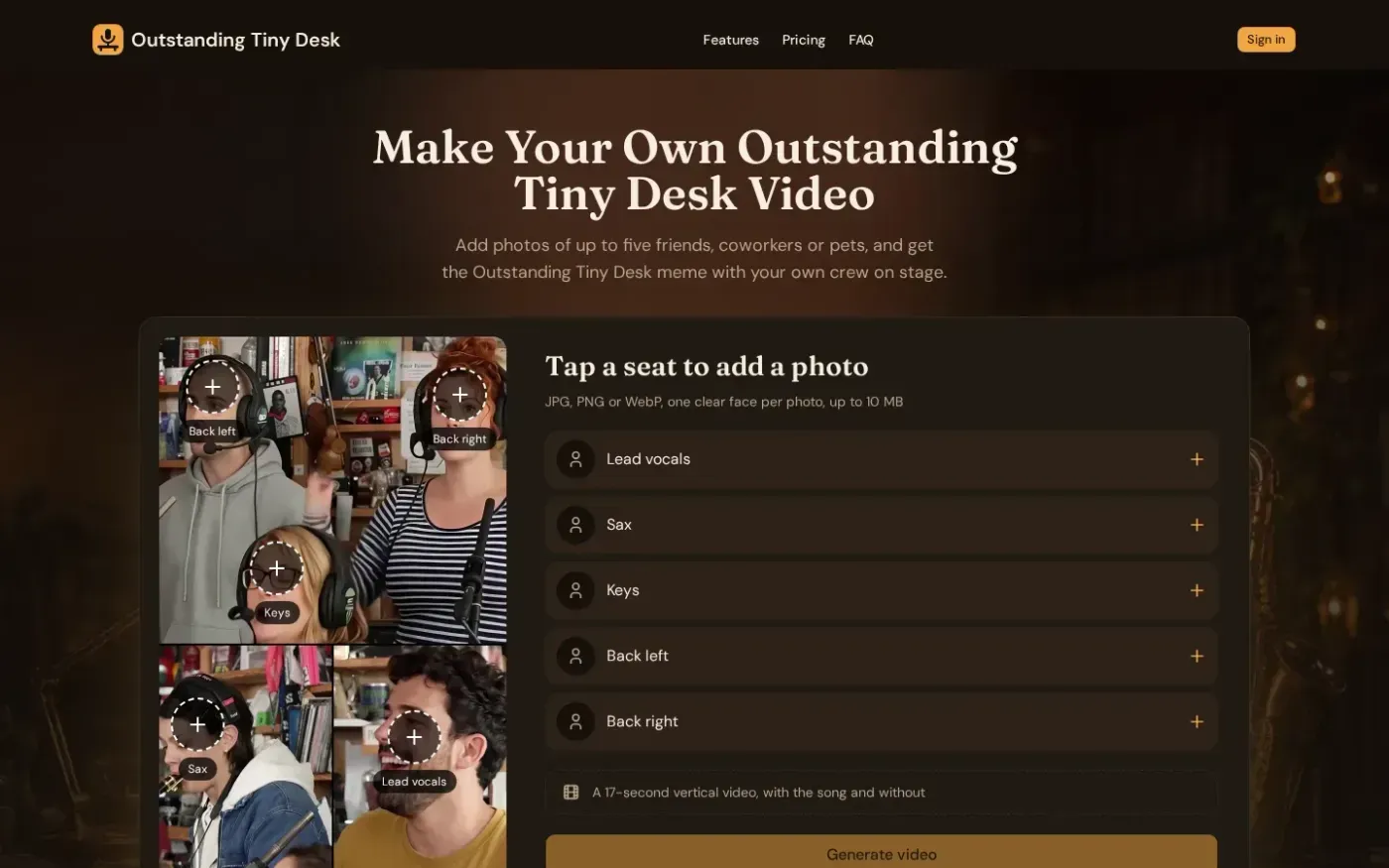
Outstanding Tiny Desk screenshot 1 of 3: Home
outstanding-tiny-desk.app
Outstanding Tiny Desk lets users add photos of up to five friends, coworkers or pets and get a 9:16 clip with the song and a silent copy.
Home
Aigifeditor screenshot 1 of 3: Home
aigifeditor.com
AI GIF Editor is an online tool for converting text prompts, photo sequences, or short videos into animated GIFs, alongside browser-based local tools for editing, cropping, resizing, and compressing GIF files.
Home
Chipmunksdanceai screenshot 1 of 3: Home
chipmunksdanceai.app
Home
Gardenly screenshot 1 of 4: Home
gardenly.app
Gardenly is an AI-powered garden design tool that generates photorealistic garden redesigns from a single photo, featuring climate-adapted plant recommendations, personalized plant care guides, and seasonal maintenance schedules.