SiteList review score
Clear one-photo video creation with concrete guidance and pricing. Fix mobile overflow and undersized elements to make the experience easier to use.
Reviewed on Oct 14, 2026
burningbridgesvideos.com
Unclaimed listingWhat it does
Burning Bridges is an AI video generator that turns one photo of a person into a 23-second performance video with reference-guided gestures and camera movement, exported as a 2K/1440p MP4.
SiteList review score
Clear one-photo video creation with concrete guidance and pricing. Fix mobile overflow and undersized elements to make the experience easier to use.
Reviewed on Oct 14, 2026
Verified user rating
—
No verified reviews yet — the evidence locker is empty.
Captured during our latest review on Oct 14, 2026
One-time generation-credit packs: 1 credit for $9.99, 3 credits for $19.99, or 10 credits for $59.99; 1 credit creates one 23-second 2K video. Prices are in USD; taxes apply at checkout. Billed one time.
| Plan | Price | Details |
|---|---|---|
| 1 generation credit | $9.99 one time per generation credit | One 23-second video from one photo. 1 credit · 23-second video · One photo View source |
| 3 generation credits | $19.99 one time per generation credits | Three separate 23-second videos. 3 credits · 3 separate 23-second videos View source |
| 10 generation credits | $59.99 one time per generation credits | Ten separate 23-second videos. 10 credits · 10 separate 23-second videos View source |
Photo-to-video generation
Video generation
Creates a 23-second video from one photo and a prepared reference performance.
Reference-guided motion
Video generation
Uses a reference clip to guide gestures, pace, and camera movement.
2K/1440p export
Export
Exports the finished video as an MP4 at 2560 × 1440 pixels.
Photo upload
Input
Accepts a JPG or PNG photo up to 10 MB for video creation.
Video download window
Account and delivery
Lets the signed-in account save the generated video within 24 hours after submission.
Create a Burning Bridges performance from a photo
Make a short AI performance video using one photo of a person.
Create videos for a friend
Create a video from a friend's photo with their permission to animate and share it.
It is an AI video trend inspired by the party atmosphere of Drake’s “Burning Bridges.” A photo and a reference performance come together in a short clip with familiar gestures, from a close-up to a toast and a wave.
You can watch the examples and explore the photo guide for free. Video creation uses generation credits, with 1 credit per 23-second video. Available packs are shown in the pricing section.
Packs are $9.99 for 1 generation credit, $19.99 for 3 generation credits, and $59.99 for 10 generation credits. Each credit creates one 23-second video. Prices are in USD, with no subscription.
Your photo guides appearance, including hair and clothing. The reference clip guides gestures, pace, and camera movement. You do not need to write a prompt or upload a video.
Use a clear JPG or PNG of one person with their face visible and no sunglasses. A chest-up photo with room for hand movement works best. Images should be at least 300 pixels wide and tall and up to 10 MB.
Yes. The finished video includes the reference audio to accompany the performance. Listen before downloading and check the music rules of the platform where you plan to share it.
The finished MP4 is exported at 2560 × 1440 pixels (2K/1440p). Visible detail can vary with the photo and the AI result.
The photo stays on your device until you confirm video creation. Only your signed-in account can access the saved video, for 24 hours after submission. See the Privacy page for processing and storage details.
No. Face swaps are prohibited, including with consent. Permitted creative uses are photo animation and reference-guided motion.
Yes, with their permission to animate the photo and share the result. Choose a clear solo portrait and let viewers know the finished video is AI-generated.
Product FAQ information · View source
Burningbridgesvideos earns 77/100 for a focused, one-photo AI video generator with clear creation guidance and concrete product details. Its most material weakness is design execution, where measurable mobile overflow and undersized elements create avoidable friction.
77/100: strong focused product with fixable design friction
No reviews yet. The evidence locker is empty.
Reviews from verified users appear here once approved.
Reviews are from the SiteList community. Some reviewers received incentives — disclosed in the review, always. The verdict is never for sale.
Home
Gardenly screenshot 1 of 4: Home
gardenly.app
Gardenly is an AI-powered garden design tool that generates photorealistic garden redesigns from a single photo, featuring climate-adapted plant recommendations, personalized plant care guides, and seasonal maintenance schedules.
Home
Aidiagramagent screenshot 1 of 4: Home
aidiagramagent.com
AI diagram agent turns text, images and PDFs into editable diagrams that users can refine through conversation, save as versions, export, and share.
Home
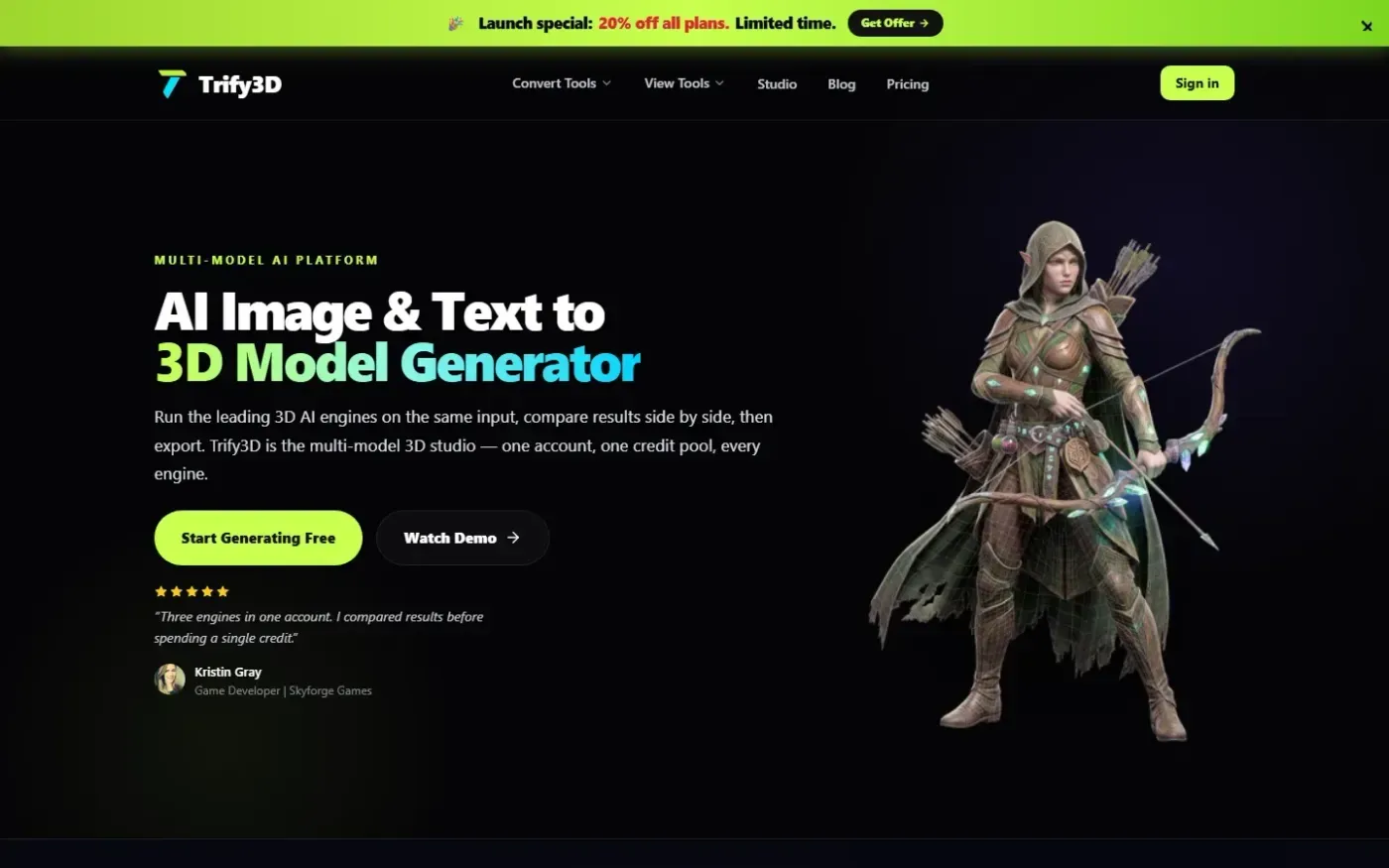
Trify3d screenshot 1 of 4: Home
trify3d.com
Trify3D is an AI-powered platform that generates production-ready 3D models from images and text prompts. It functions as a multi-model studio, allowing users to run leading engines like Tripo3D, Meshy, and Rodin side by side to compare results. The platform supports exports in GLB, glTF, OBJ, and STL formats and includes a suite of 48+ 3D file conversion and viewing tools.
Home
Shotra screenshot 1 of 4: Home
shotra.app
Shotra is an AI video generator for image to video and text to video creation with Seedance 2, Veo 3.1, and AI Avatar workflows. Pay only for what you use.