Skip to content
SiteList

Eazeaccounts vs Fortune: clearer plan choices or focused bookkeeping automation?

Last updated (2d ago)

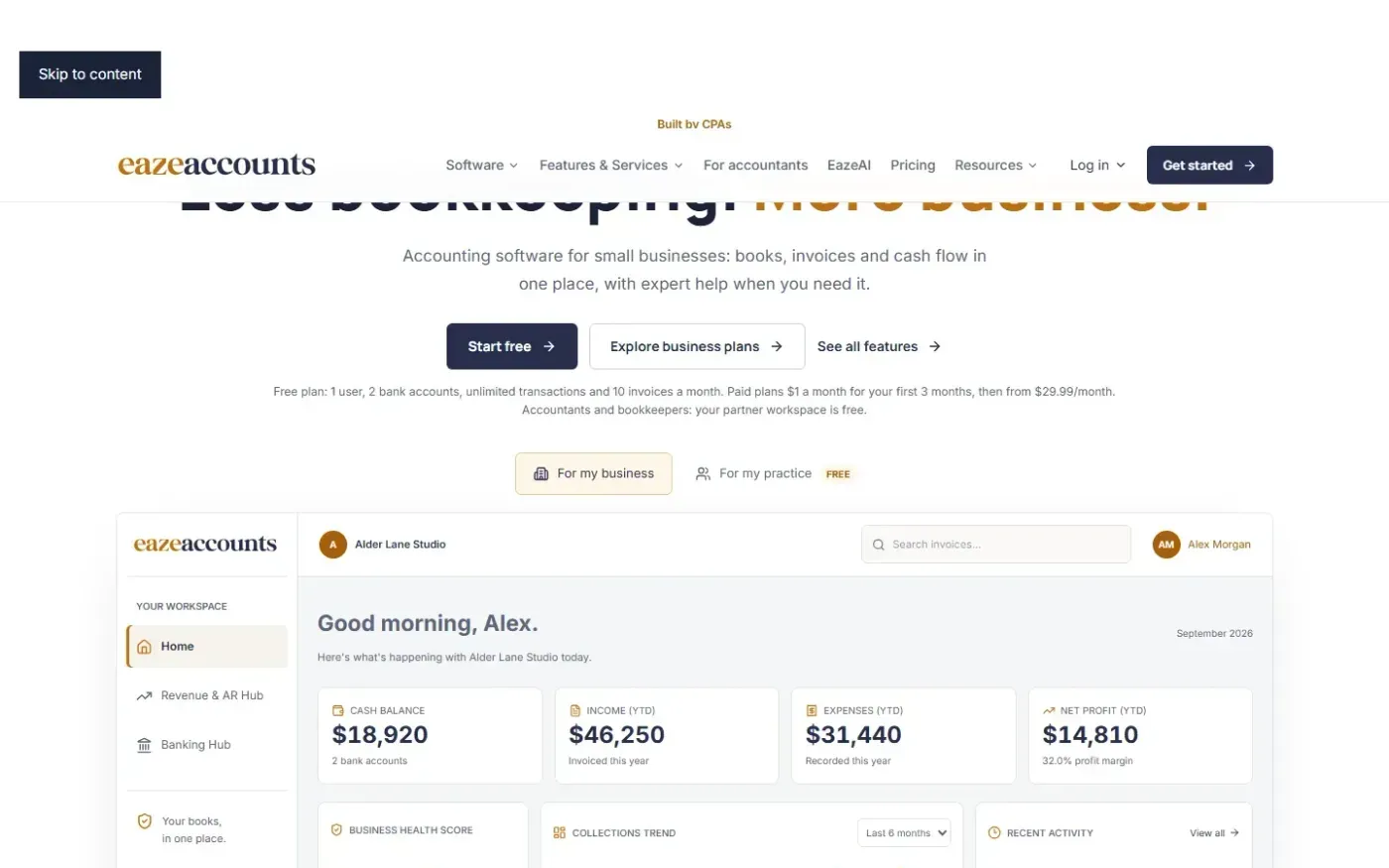
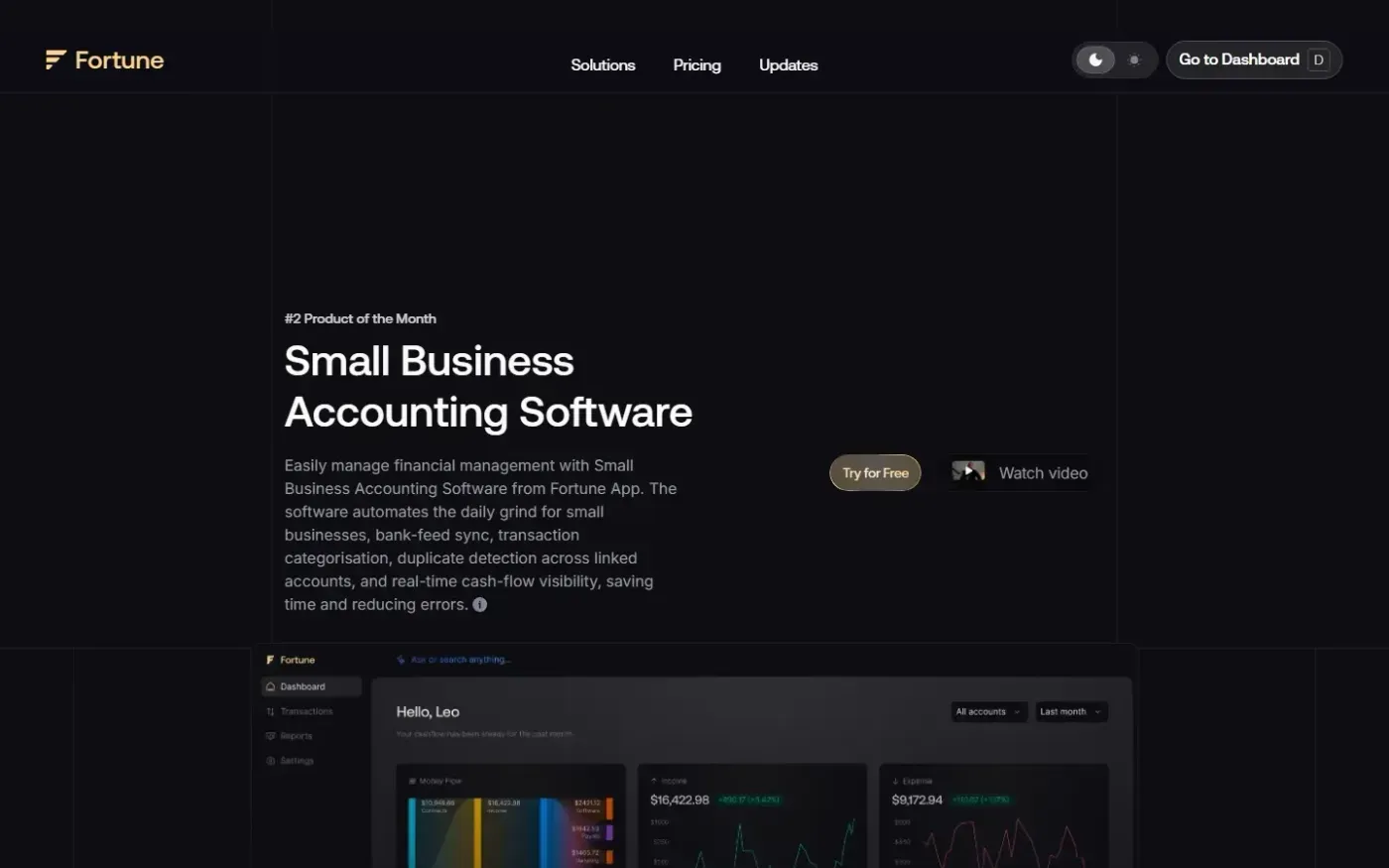
Eazeaccounts and Fortune are compared using their captured homepages.

Feature comparison

FeatureEazeaccountsFortune
Transaction categorizationFoundFound
Financial reportsFoundFound
Duplicate detectionNot foundFound
Cash-flow visibilityNot foundFound
InvoicingFoundNot found
Payroll managementFoundNot found
Tax preparation and filingFoundNot found
CFO advisory servicesFoundNot found

✓ found in our review of the product’s site. — not found there, which doesn’t mean it’s missing.

Pricing, sourced

Eazeaccounts

Eaze Free
$0 per monthusage limits apply
Eaze Smart
$1/month for first 3 monthsthen $29.99/month
Eaze Premium
$1/month for first 3 monthsthen $39.99/month
Eaze Pro
$1/month for first 3 monthsthen $59.99/month

Checked Pricing page

Fortune

Managerial Accounting Software
Starting from $10.99/mo

Checked Pricing page

Eazeaccounts offers the clearer evaluation path for US small businesses choosing accounting software, with defined plan audiences and optional expert services. Fortune merits consideration for bank-feed synchronization, duplicate detection and cash-flow visibility, but its entry offer needs closer checking before you can compare equivalent costs.

Eazeaccounts makes the plan decision easier; Fortune makes its automation focus clear

Our Eazeaccounts review found that the pricing page connects four plans to specific business situations and provides usage limits and links to detailed comparisons. That matters if you are deciding whether basic bookkeeping is enough or whether accountant access and deeper reporting justify a higher plan. You have a clearer basis for choosing without first contacting sales. The remaining constraint is checking the limits against your own transaction volume and team needs. Eazeaccounts pricing.

Fortune's documented capabilities include bank-feed synchronization, transaction categorization, duplicate detection, rules and workflows, accounting reports and cash-flow visibility. That is a relevant combination for an owner whose recurring problem is keeping linked-account transactions organized and understanding available cash. These are capabilities described on its site, rather than demonstrated accuracy or time savings from a SiteList product test. Fortune.

Eazeaccounts also lists invoicing, payroll management, tax preparation and filing, business formation, and CFO and financial advisory support. That gives businesses seeking software plus professional assistance a broader documented evaluation path. Expert services are separately scoped; their presence does not establish that a software subscription includes them. Our review also identified thin self-serve help, which matters if you expect to resolve unfamiliar accounting tasks independently. Eazeaccounts features.

Fortune's trial route needs verification before you commit evaluation time

In our simulated evaluation walkthrough, Eazeaccounts pricing was reachable in one navigation decision. Fortune displayed “Try for Free,” but our review could not confirm a signup destination from the available navigation information. This does not prove the trial is broken. It means Fortune buyers should establish where registration happens and what the trial includes before planning a migration or investing time in setup.

Eazeaccounts has its own contact friction. Its contact form asks for business type, service interest and a message alongside contact details, although phone and email alternatives are visible. That is a consideration when the reason for evaluating Eazeaccounts is access to human help. Eazeaccounts contact, Fortune.

Eazeaccounts has stronger public accessibility findings; neither mobile site is frictionless

Our sampled accessibility review scored Eazeaccounts 94/100 and Fortune 66/100. Fortune's homepage had invalid ARIA usage and focusable elements inside hidden regions. Eazeaccounts also had a hidden-input issue on its contact form, so its stronger result does not mean every interaction is accessible. For buyers using assistive technology, these findings favor beginning evaluation with Eazeaccounts while checking the actual accounting workspace separately. Eazeaccounts contact, Fortune.

Both public sites had undersized mobile controls. Our review counted 59 small tap targets on Eazeaccounts and 120 on Fortune at a 390px layout. Fortune's homepage also transferred roughly 8.3 MB, compared with roughly 2.9 MB for Eazeaccounts. However, Fortune's measured mobile homepage LCP was about 2.7 seconds versus 3.0 seconds for Eazeaccounts. The practical conclusion is limited: Fortune transferred substantially more data in these measurements, but Eazeaccounts did not load its main homepage content sooner. These public-site findings do not establish mobile usability or speed inside either accounting application. Eazeaccounts, Fortune.

Painterly homepage-style scene representing the shared function of Eazeaccounts and Fortune.

Match Eazeaccounts to supported accounting and Fortune to transaction automation

Eazeaccounts is the better-supported choice for an owner who wants clear plan guidance, an accountant collaboration path and access to separately scoped services. Its public buying experience provides more answers before signup. The tradeoffs are thin self-serve help and the need to distinguish software entitlements from additional services.

Fortune is worth evaluating when duplicate detection across linked accounts, categorization and cash-flow reporting are the central requirements. Its site gives those workflows a clear role. The tradeoffs are less certain trial navigation and incomplete visibility into the price of the package you would actually need.

Neither review establishes bank coverage for your institution, import quality, reconciliation accuracy or the quality of support after signup. Those remain important checks before moving existing books.

Eazeaccounts shows a free plan and renewal prices; Fortune shows a narrower starting offer

Eazeaccounts lists Eaze Free at $0 per month with usage limits. Smart, Premium and Pro each cost $1/month for the first three months, followed by $29.99/month, $39.99/month and $59.99/month respectively. Premium and Pro state that CPA access is included. The visible amounts are presented per plan per month; they do not establish an unlimited-user entitlement. Confirm subscription terms and any service charges at signup. These prices were verified on Nov 10, 2026. Eazeaccounts pricing.

Fortune's pricing page shows Managerial Accounting Software starting from $10.99/mo and offers a free trial. That starting offer should not be treated as the confirmed cost of every Fortune accounting workflow. The available pricing text does not establish a complete comparable tier structure, renewal terms, trial duration or per-user charging basis. Eazeaccounts therefore offers clearer cost visibility; Fortune's lower visible starting amount alone cannot establish which product will cost less for your business. The Fortune price was verified on Nov 10, 2026. Fortune pricing.

SiteList's scores favor Eazeaccounts' evaluation experience

Eazeaccounts received a SiteList AI review score of 83.3/100; Fortune received 65.7/100. Eazeaccounts' clearer buying journey and stronger sampled accessibility findings support its recommendation for buyers who want fewer unanswered questions before choosing. Fortune's automation focus is useful, but editorial weaknesses and limited support for comparison and review claims weaken its public decision support. SiteList's rendered-text measurements recorded Fortune's accounting guide as one paragraph containing 15,861 words. That raises a specific concern about scanning its public guidance when researching an accounting question; it does not establish the quality of help inside the application.

Eazeaccounts explicitly labels its product tour as sample data rather than customer results. Fortune displays named testimonials, but those are vendor-published statements. Neither product has verified user reviews on SiteList yet. These scores assess the reviewed public websites and decision support; they do not establish which accounting engine produces more accurate books.

Questions buyers actually ask

Which product is easier to evaluate before signup?

Eazeaccounts has the clearer documented evaluation path. Our review found visible plan audiences, limits and detailed comparison links. Fortune explains its automation capabilities, but our review could not confirm the trial signup destination. That is an unresolved navigation question, not proof that signup fails.

Is Fortune cheaper than Eazeaccounts?

A like-for-like cost comparison is not established. On Nov 10, 2026, Fortune's pricing page showed Managerial Accounting Software starting from $10.99/mo. Eazeaccounts listed a limited free plan and paid plans renewing at $29.99–$59.99/month after an introductory offer. Fortune's complete comparable package price was not listed in the available text.

Does Eazeaccounts include professional accounting help?

Premium and Pro state that CPA access is included. Eazeaccounts also lists bookkeeping, tax, payroll and advisory services, but expert services are separately scoped. Confirm the work included in your chosen subscription and the charges for additional services before purchasing.

Does “Not found” mean a feature is unavailable?

No. It means our review did not establish that capability for that product. For example, Fortune's documented duplicate detection is a useful reason to evaluate it, but the comparison does not establish that Eazeaccounts lacks duplicate detection.

Have SiteList users verified either product's accounting quality?

Neither product has verified user reviews on SiteList yet. The SiteList AI scores concern the reviewed public websites and decision support. They do not demonstrate accounting accuracy, bank compatibility or support quality inside either application.

Read Eazeaccounts reviewRead Fortune review

Built from SiteList technical reviews; user reviews count once a product has 3 approved. Pricing facts carry their source and date; if something has drifted, use “Report outdated” above to schedule a re-check.