Skip to content
SiteList

Captionthat vs Imagetocaption: upload workflow or broader caption tools?

Last updated (16d ago)

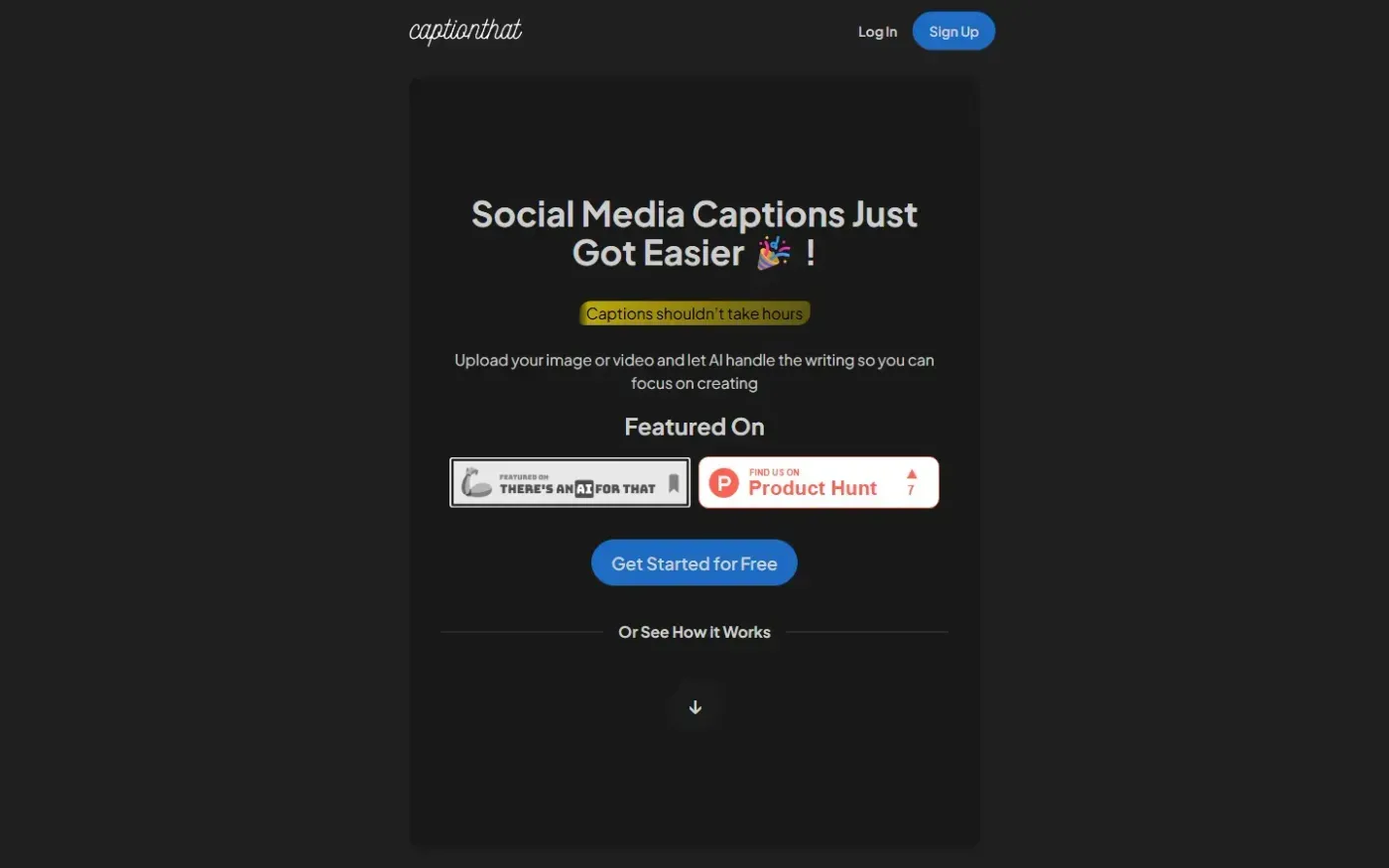
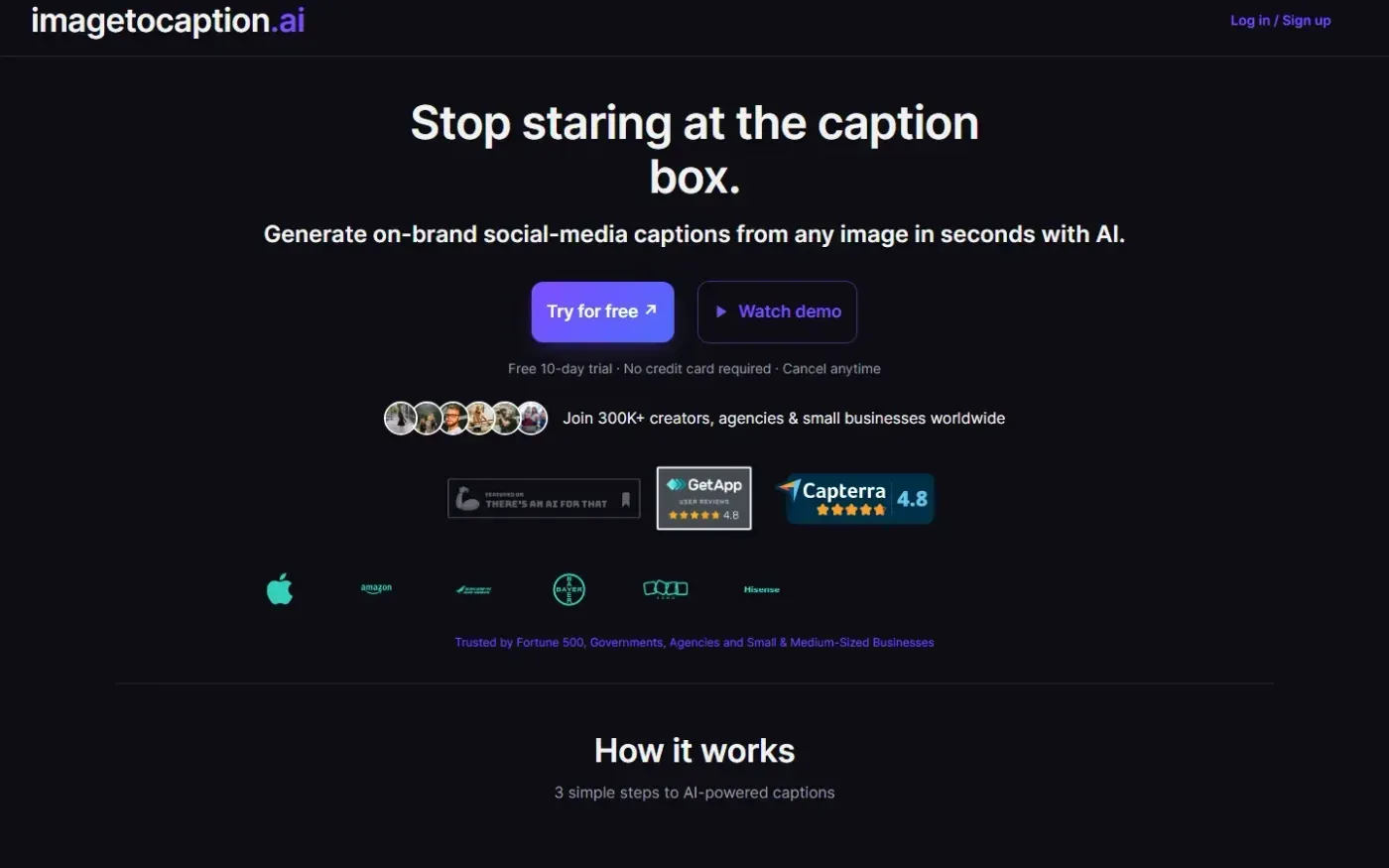
Captionthat and Imagetocaption are compared using their captured homepages.

Feature comparison

FeatureCaptionthatImagetocaption
Image uploadsFoundFound
Video inputVideo uploadsVideo-frame uploads
Brand voice customizationFoundFound
Caption generationFoundFound
Hashtag generationNot foundFound
Post publishingNot foundFound

✓ found in our review of the product’s site. — not found there, which doesn’t mean it’s missing.

Pricing, sourced

Captionthat

No prices listed on its pricing page.

Checked Pricing page

Imagetocaption

No prices listed on its pricing page.

Checked Pricing page

Captionthat suits buyers who want a clearly explained image-or-video caption workflow with brand-voice settings. Imagetocaption explicitly lists hashtags and copy, edit, and publish capabilities. The tradeoff is meaningful: Captionthat lacks discoverable public help, while Imagetocaption's sampled mobile homepage loads more slowly. Both checked pricing URLs return missing pages, leaving current costs unresolved.

Choose Captionthat when understanding the upload workflow before signing up matters most. Choose Imagetocaption when explicit support for hashtags and copy, edit, and publish capabilities better matches your posting routine. Neither earns an unconditional recommendation: Captionthat's public help is missing, Imagetocaption's customer proof is weak, and both pricing URLs return missing-page messages.

Captionthat explains the workflow, but leaves a support gap

SiteList's review found that Captionthat's homepage explains image and video uploads, workspace settings, industry selection, and brand voice. That makes the setup easier to assess before creating an account: a buyer can see how recurring captions would connect to a particular brand. The review also found that the page explains mechanics more clearly than why its results should beat another caption tool. A clear introduction therefore supports evaluating the workflow; it does not establish superior caption quality. Captionthat homepage

The absence of discoverable public help or getting-started content matters for anyone expecting to troubleshoot independently. A creator comfortable exploring an interface may accept that gap. An agency planning to introduce several colleagues should establish the available support path before relying on it. SiteList also found missing explicit accessible names on homepage workspace fields, which creates an additional concern for people using assistive technology. Captionthat homepage

Imagetocaption lists more posting capabilities, with weaker proof behind its promises

Imagetocaption's reviewed capabilities explicitly include brand voice matching, caption and hashtag generation, image and video-frame uploads, and copy, edit, and publish functions. Hashtags and publishing are useful distinctions for buyers seeking more of the posting process in one tool. Captionthat's review does not establish those same capabilities; that is an information gap rather than proof they are absent. Supported publishing destinations and publishing limits are not established here. Imagetocaption homepage

SiteList found a cohesive, mobile-responsive public interface, but also found testimonials without specific names, roles, or company affiliations and case studies without measurable outcomes. Those weaknesses limit how much confidence a buyer should place in promotional proof. The listed functions justify evaluating Imagetocaption for a broader posting routine; they do not demonstrate better captions or stronger business results. Imagetocaption homepage

Mobile entry favors Captionthat, although both sites have friction

Captionthat's sampled mobile homepage recorded a lab Largest Contentful Paint of about 4.6 seconds. Imagetocaption's review recorded about 9 seconds. These separate homepage observations favor Captionthat for initial mobile access, but neither establishes the speed of caption generation inside an account. Captionthat homepage, Imagetocaption homepage

Painterly homepage-style scene representing the shared function of Imagetocaption and Captionthat.

Loading is only part of the mobile decision. Captionthat had numerous controls below the review's 44px tap-target baseline, alongside authentication inputs with 14px text and 38px height. Imagetocaption's otherwise cohesive design had contrast failures on hero and pricing text. Phone-first buyers should weigh these specific interaction barriers alongside loading time, rather than treating the faster homepage as a complete usability win. Captionthat sign-in, Imagetocaption homepage

Match the choice to the part of posting you need to simplify

For creators and small businesses prioritizing a clearly explained upload-to-caption process, Captionthat is the stronger starting point. Its constraint is the public help gap, especially when setup becomes less straightforward.

For buyers who specifically need hashtags and listed publishing functions alongside caption creation, Imagetocaption is the more directly documented fit. Its constraints are slower sampled mobile entry, weakly attributed testimonials, and unconfirmed publishing destinations. Neither review establishes team permissions, approval workflows, or collaboration limits, so agency suitability remains unresolved.

Missing pricing routes leave current billing terms unresolved

On Nov 11, 2026, the checked Captionthat pricing URL displayed “Page Not Found.” That response contained no tier amount or billing terms; it does not establish whether pricing appears elsewhere on the site. Captionthat pricing, verified Nov 11, 2026

On Nov 11, 2026, the checked Imagetocaption pricing URL displayed a 404 message. It included a free-trial link, but no subscription amount, trial duration, or billing terms. That link does not establish an ongoing free plan, and the missing route does not establish whether pricing appears elsewhere. Imagetocaption pricing, verified Nov 11, 2026

The checked pricing URLs do not support a current budget comparison. Comparable current billing terms and allowances remain unconfirmed, including annual-versus-monthly billing and per-user-versus-flat charges. Before committing, establish the recurring charge and the usage allowance for your posting volume.

SiteList's higher score does not settle caption quality

SiteList's AI review scores are 68.7/100 for Captionthat and 75/100 for Imagetocaption. Captionthat's review highlights workflow clarity alongside public-help and mobile-interface gaps. Imagetocaption's review highlights positioning and design alongside slow homepage performance and weak supporting proof. These findings inform the buying path; they do not establish which product writes better captions. Neither product has verified user reviews yet.

Questions buyers actually ask

Which product is cheaper?

The checked pricing URLs both returned missing pages on Nov 11, 2026. Those responses do not establish product-wide pricing availability or comparable current costs, so a cheaper option remains unconfirmed. Sources: [Captionthat pricing](https://captionthat.app/pricing) and [Imagetocaption pricing](https://imagetocaption.ai/pricing).

Which tool supports hashtags and publishing?

Imagetocaption's reviewed capabilities explicitly include hashtag generation and publishing. Captionthat's review does not establish either capability. Imagetocaption's supported publishing destinations and limits remain unconfirmed.

Which is better for use on a phone?

Captionthat's sampled mobile homepage recorded about 4.6 seconds LCP versus about 9 seconds for Imagetocaption. Captionthat also had undersized controls, while Imagetocaption had contrast issues. These observations concern public pages and do not establish in-app caption-generation speed.

Which product produces better captions?

The reviews do not establish comparative caption quality. Both support brand-voice customization, but no comparative caption benchmark or verified user reviews establish a winner.

Read Captionthat reviewRead Imagetocaption review

Built from SiteList technical reviews; user reviews count once a product has 3 approved. Pricing facts carry their source and date; if something has drifted, use “Report outdated” above to schedule a re-check.